Your thoughts,on fire.
A native macOS notes app for people who notice the pixels.
 Download for macOS—$29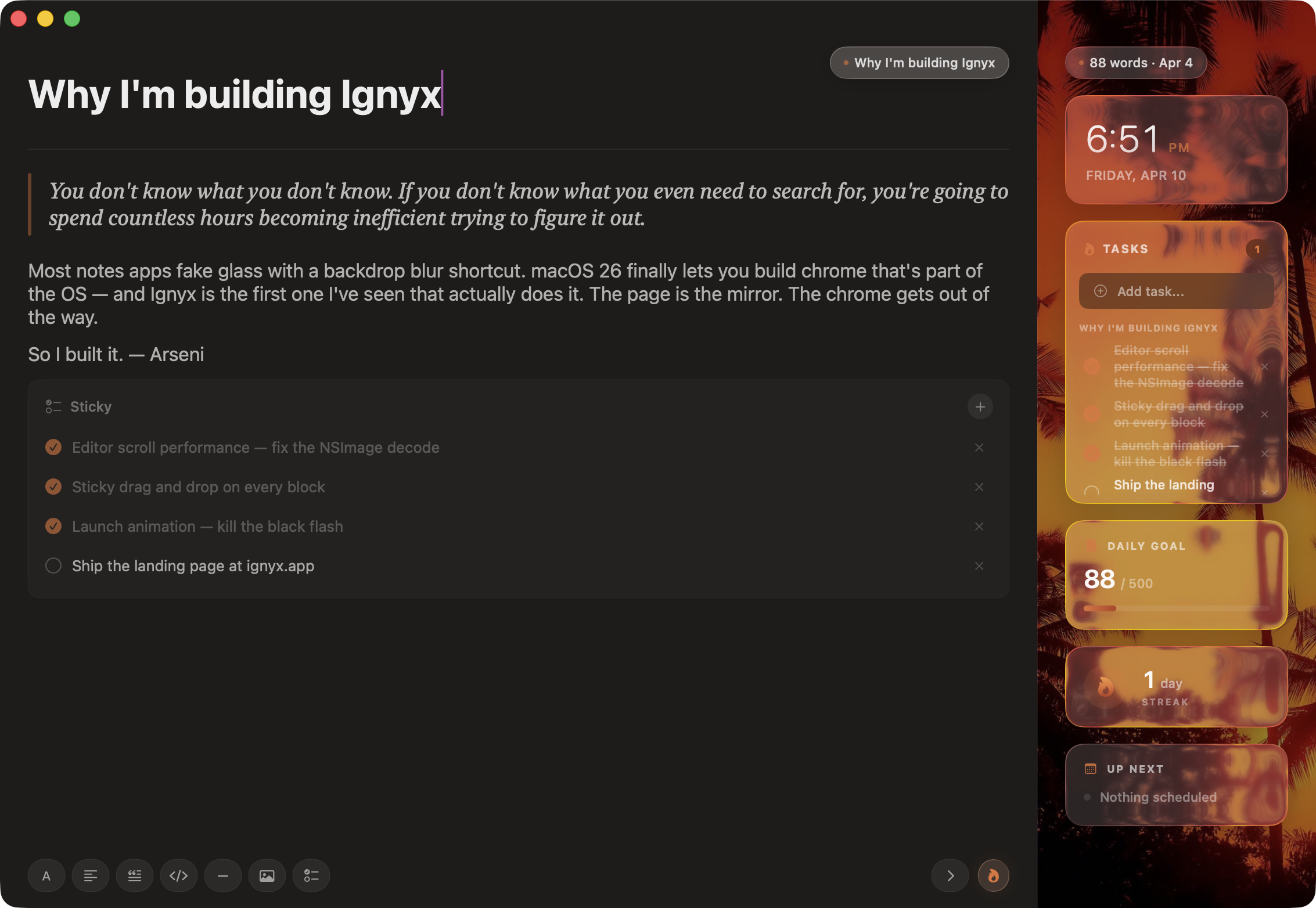
Built for the way you actually think.
Not the way an app thinks you should.
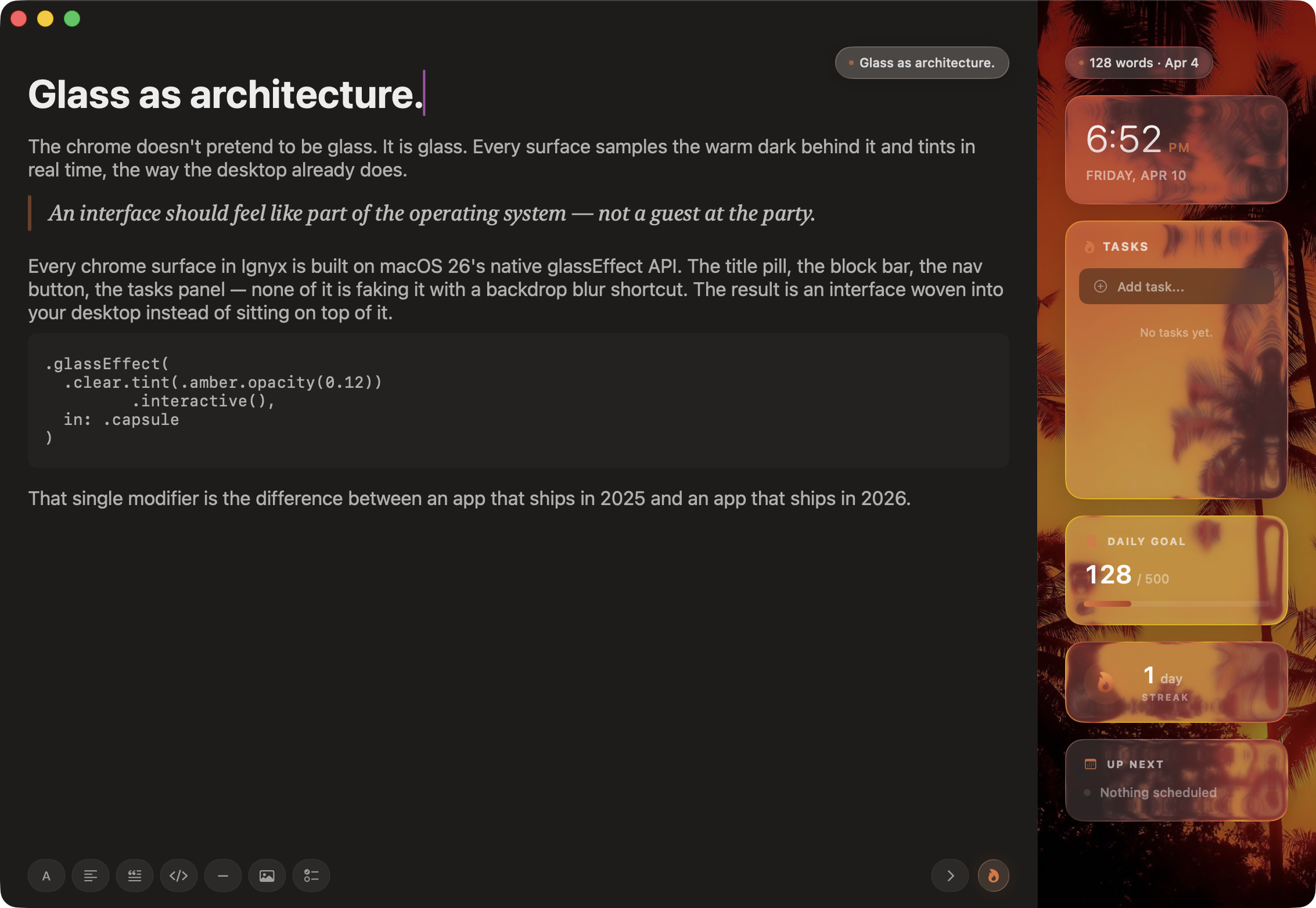
Liquid glass, not skin-deep.
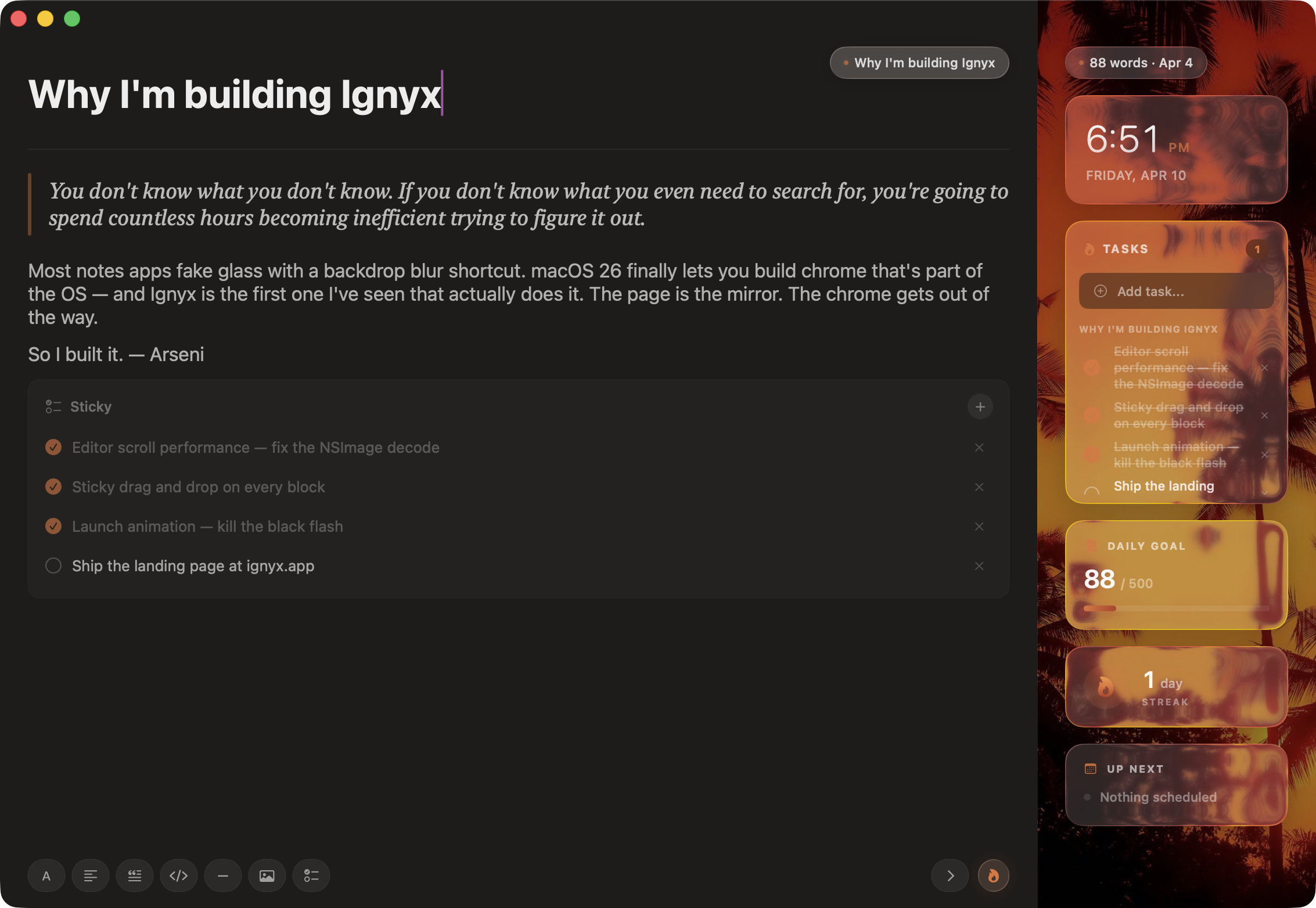
Every chrome surface in Ignyx is real macOS 26 glass. It samples the warm dark behind it and tints in real time — woven into your desktop, not sitting on top of it.
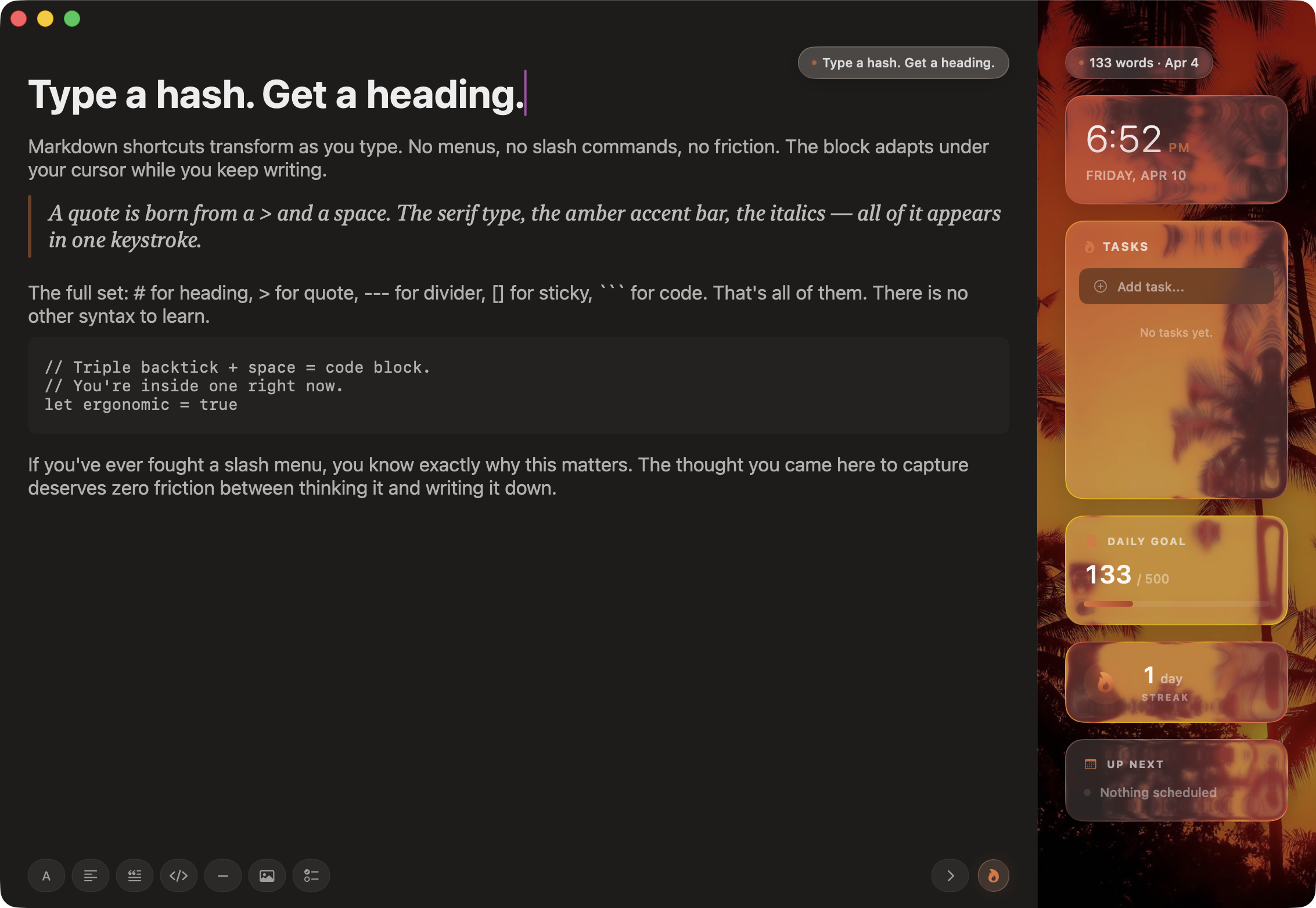
Type a hash. Get a heading.
Markdown shortcuts transform as you type. No menus, no slash commands, no friction. The block adapts under your cursor while you keep writing.
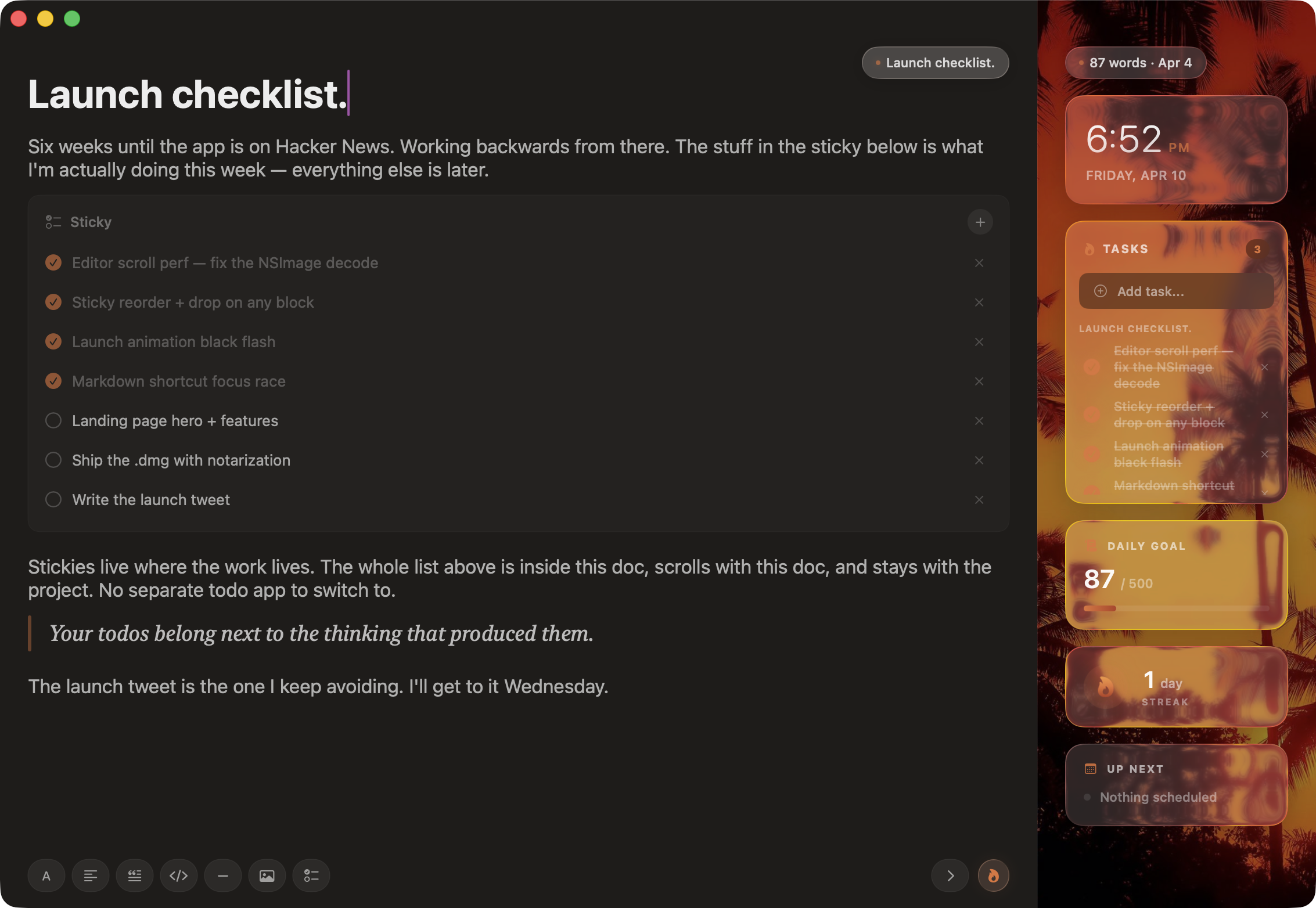
Stickies that live inside your docs.
Most apps treat checklists as a separate screen. Ignyx treats them as blocks — drop one between two paragraphs and your todos live where the work lives.
Capture without breaking flow.
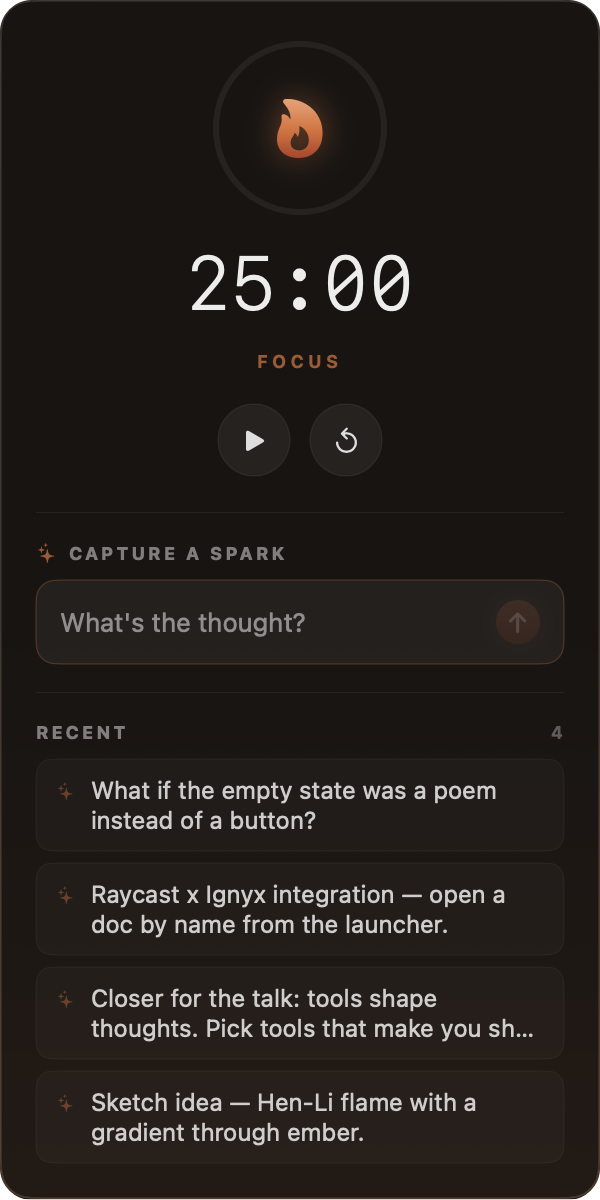
Sparks lives in your menu bar. Click the flame, drop a thought, close. No app switch, no document open, no decision about where it goes. Pair it with the built-in pomodoro and you've got a 25-minute focus loop that never asks you to leave your editor.






Restraint is the feature.
I built this because every notes app
stopped feeling like one.
I'm Arseni. I write a lot on a Mac — talks, ideas, plans, half-finished essays I never publish. For years I bounced between Notion, Obsidian, Bear, Apple Notes. Each one was missing the same thing: they forgot the app was supposed to disappear.
Ignyx is the app I wanted. Local-first because my notes are mine. Glass because macOS 26 finally lets you build chrome that feels like part of the OS. Stickies inside docs because that's where todos actually live.
One price.
Once.
 Lifetime updates
- Built natively for macOS 26
- No accounts, no sync, no cloud
- Your data stays on your machine
- 30-day refund, no forms
Get IgnyxQuestions you'd be
right to ask.
macOS 26 or later. Ignyx is built natively against macOS 26's liquid glass APIs and won't run on anything earlier. If you're still on Sequoia, sit tight — this is not the app for you yet.
That's Gatekeeper. The current build is ad-hoc signed (notarization is on the roadmap). Two-finger click (or right-click) the app in Finder, choose Open, then confirm Open in the dialog. macOS remembers your choice — you only do this once. Or open System Settings → Privacy & Security and click Open Anyway next to the Ignyx warning.
On your machine, in a single JSON file at ~/Library/Containers/app.ignyx.Ignyx/Data/Library/Application Support/Ignyx/data.json. That's it. No database, no cache directories, no cloud bucket. You can read it, back it up, version it, drop it in iCloud Drive — it's plain text and it's yours.
No first-party sync. Local-first by design. If you want sync, the data file sits in a directory you can point at iCloud Drive, Dropbox, Syncthing, or git — and the next launch will pick up wherever the other machine left off.
Because subscriptions on local tools feel wrong. You're paying for an app, not a service. Buy it once, own it forever, use it offline. The day Ignyx decides to start charging you monthly is the day Ignyx becomes a different app.
Your data is still in plain JSON in a folder on your Mac. Open it in any text editor, paste it into any other notes app, write a script to import it. The format is documented in the README. If Ignyx dies, your notes don't.
Sharper authoring (better code blocks, embeds), an iPad version if enough people ask, and exactly zero of: AI features, plugins, accounts, sync, themes. Ignyx is opinionated and stays opinionated. The whole point is restraint.
30 days, no questions, no forms. Email me, get your money back. The whole transaction takes two minutes.
No. Ignyx is built on macOS-only APIs — liquid glass, AppKit window chrome, AppleScript automation, NSPersistentDocument, the works. A port would be a different app written by a different person. That person is welcome to make it.